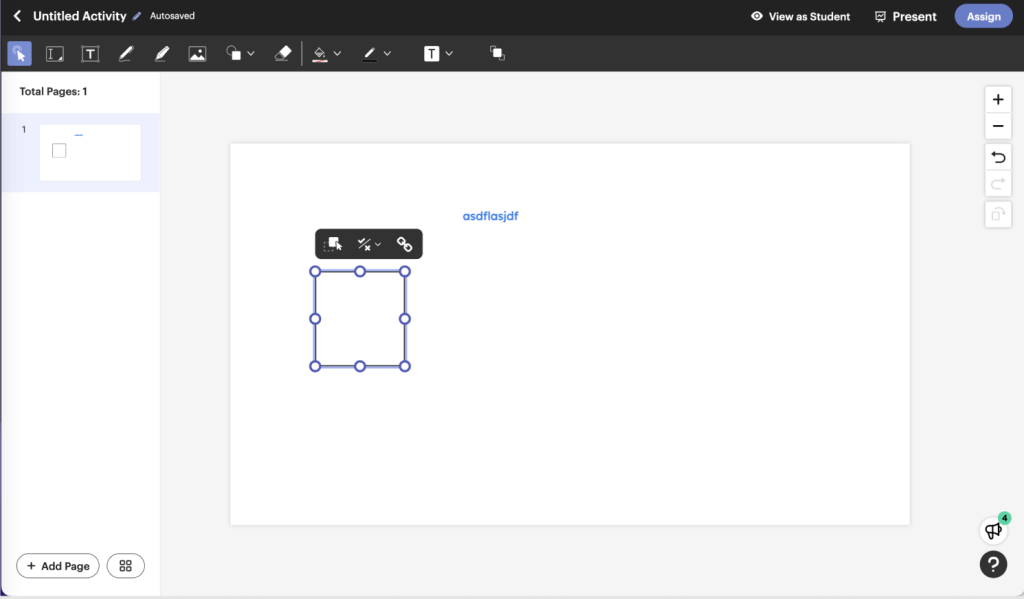
When I joined TPT, we were developing a tool designed to create interactive activities in the classroom—something that was already gaining traction due to a growing need for digital solutions. Teachers, especially in hybrid and remote classrooms, were seeking ways to engage students in more interactive, dynamic lessons.

We knew that classrooms were becoming increasingly hybrid—blending in-person and remote learning—and that teachers needed a way to integrate interactive elements into their lessons. There was an increasing desire for more interactive, digital projects and resources that could keep students engaged, particularly as the classroom dynamic evolved. While this shift to digital tools was already emerging, we didn’t anticipate how critical it would become in 2020, when hybrid learning became a necessity due to the pandemic.
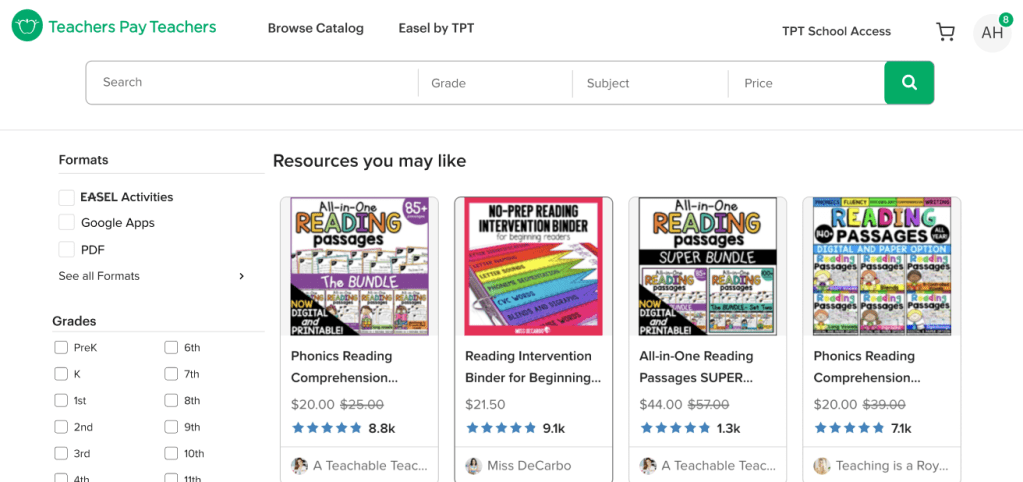
At the same time, we faced significant challenges. Teachers and teacher-authors were already familiar with TPT for printable resources, so transitioning them to a completely new digital tool for authoring content felt like a major leap. The real question we were tackling was: How could we encourage adoption and engagement of this new tool while providing immediate value to teachers? With teachers already stretched thin, we knew we couldn’t ask them to invest time in learning a complex new system. The tool had to be easy to use and immediately useful.
Additionally, it was unclear how the tool would be integrated into the broader TPT ecosystem, which added another layer of uncertainty about how teachers would interact with it. We needed to find a way to meet teachers where they already were, offering them something familiar that would help them adapt to the changing landscape without overwhelming them.
Initial Challenge: Promote the Tool or the Content?
While we were working on the authoring tool MVP, the marketing team was promoting the new interactive PDFs in the marketplace. This led to a misalignment in messaging. Teachers were hearing about new resources, but the actual product experience was focused on the new tool.
After discussing this in a leadership meeting, I proposed a brainstorming session to align the team on how we would move forward. The goal was to harmonize messaging around the tool and resources, ensuring we had a cohesive approach that worked with teachers’ existing workflows.
Solution & Pivot
After collaborating with the leadership team, we shifted our focus from promoting the tool to promoting interactive resources. By leveraging TPT’s existing infrastructure, we could promote these interactive resources directly in the marketplace, a space teachers were already familiar with.
Instead of telling teachers to try a new tool, we asked them to try the new interactive resources the tool facilitated, making the adoption process easier. This allowed us to launch with thousands of interactive PDFs available right from the start, and we could quickly gather real-time feedback on what worked and what didn’t. The goal was to provide immediate value to teachers by offering interactive versions of content they were already familiar with.
Post-Pivot Action: Design Sprint for Auto-Conversion
After we pivoted our approach, we knew we needed to quickly move into action. To make this happen efficiently, we initiated a design sprint to come up with a way for teacher-authors to automatically convert their catalog of resources.
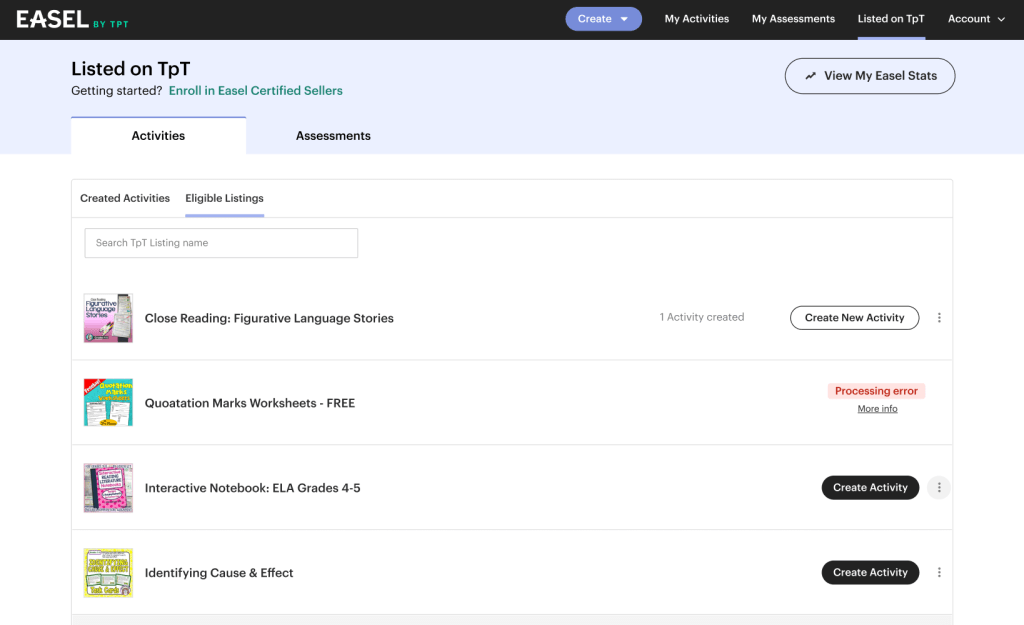
The Challenge: The big challenge was to create a system that would automatically identify which of the teacher-authors’ resources could be converted into interactive PDFs. The idea was to make this process as simple as possible, so teacher-authors wouldn’t have to manually recreate every activity in the tool. Instead, they could just convert their existing PDFs and do some minimal editing.
The Solution: We worked closely with the engineering team to design an algorithm that could identify these potential PDFs. Once flagged, teacher-authors would be able to review the resources and make adjustments if necessary before publishing them into the interactive format.
The Sprint Outcome: The sprint allowed us to test the concept rapidly and validate that teacher-authors would embrace this new approach. This let us launch with a large catalog of interactive resources right from day one.
Pivoting to Promote Resources for Easier Adoption
After pivoting to focus on promoting interactive PDFs rather than the tool itself, we saw a significant improvement in adoption. Initially, we had envisioned promoting the new tool directly within the marketplace, but we quickly realized that this would be a big ask for our users. Many teachers visit TPT for quick, ready-to-use solutions, not necessarily to learn or engage with a new tool. Trying to push a digital authoring tool in this context felt like a bridge too far.
Instead, we shifted our focus to promoting the new interactive PDFs directly to teachers in the marketplace. By doing so, we were working within the framework of what teachers already understood and were accustomed to: picking up resources that were immediately applicable for their classrooms.
How This Shift Helped Drive Adoption
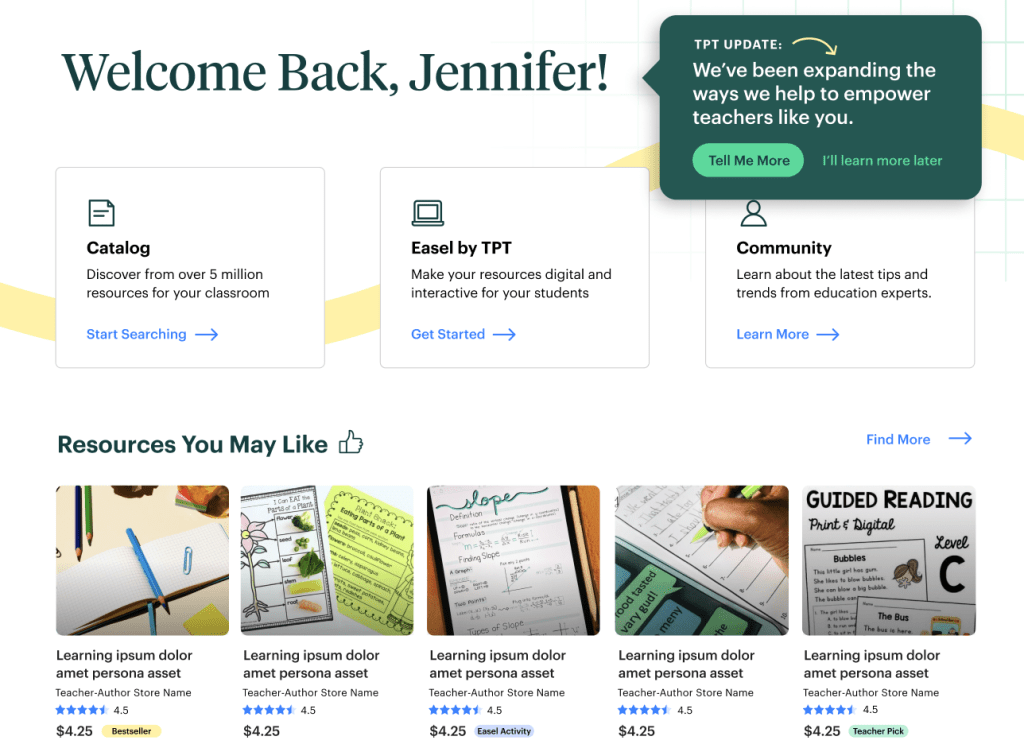
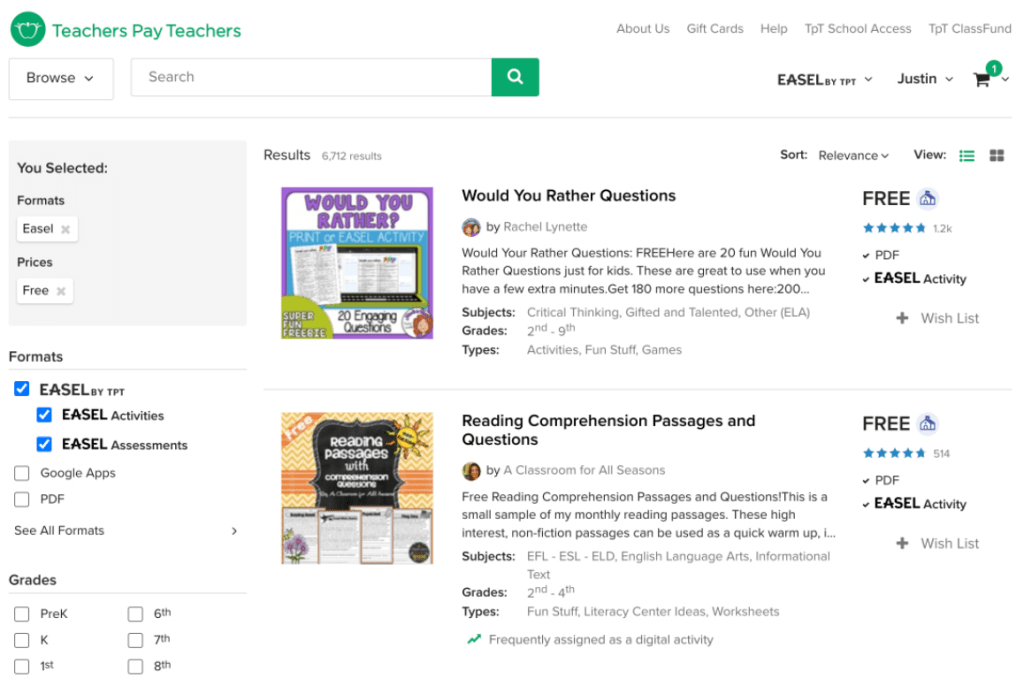
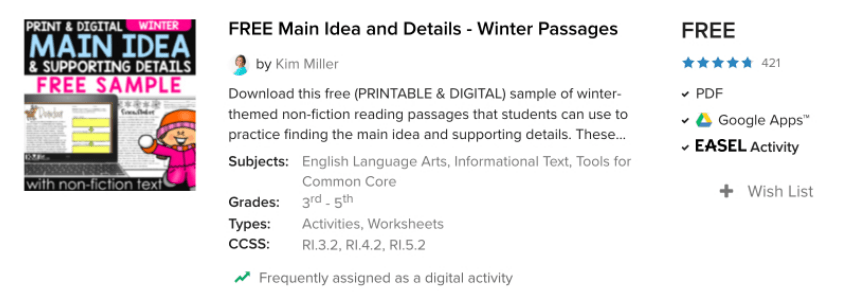
Utilizing Existing Real Estate: TPT’s marketplace already had built-in promotional spaces (like “Resources You May Like,” the homepage, and promotional modules), which were being used to promote new content to teachers. Instead of trying to promote a tool—a concept that felt unfamiliar and complex to many teachers—we shifted the focus to promoting the new interactive PDFs. This allowed us to leverage existing promotional real estate and meet teachers where they were.
Easier for the Marketplace Designer: The pivot also allowed us to work more efficiently with the marketplace designer, who was more junior and had experience working within the current marketplace framework. Rather than needing to design a promotion strategy for an entirely new tool, we focused on adapting existing modules and promotional placements to highlight the interactive PDFs. This was a lighter lift for the designer and a more seamless integration into the existing user flow.
Simplified Teacher Engagement: Rather than asking teachers to take the extra step of learning how to use a new tool, we offered them content they were already familiar with but upgraded to meet their evolving needs. Teachers were excited about the opportunity to access interactive PDFs without having to learn an entirely new system. This shift to resource promotion directly addressed the hesitancy we had seen from teachers, who were more comfortable with the idea of finding new interactive resources than diving into a full-blown digital tool.
Impact on Adoption: Focusing on promoting interactive PDFs made the new content feel like a natural extension of what teachers were already getting from TPT. The result was a smoother and faster adoption process, as teachers were more likely to engage with content they already understood and found useful. As a result, we saw a significant uptick in the number of teachers accessing and engaging with the new interactive resources, setting the stage for further product evolution and adoption down the road.
Metrics & Impact:
- 70% of teachers who tried an interactive PDF returned to try another, demonstrating strong retention.
- Interactive PDFs represented 17% of sales shortly after launch.
- 22% of teachers who bought an interactive PDF used the tool to customize/edit the resource, showing high engagement with the tool.
- High engagement from teachers opening the new interactive PDFs in My Library, showing strong adoption of the feature.
- By launching the tool through the resources in the marketplace, we avoided issues around UX integration and allowed the tool to fit naturally within the product, getting the tool into users’ hands quickly.
- Real-time feedback from teachers allowed us to iterate quickly and prioritize the features that had the most impact.
Outcome:
- Easel’s resource-first approach led to a smooth launch that aligned with teacher needs, without overwhelming them with a new tool.
- Teachers were able to engage with interactive content and see immediate value without having to learn a completely new platform.
- We launched with thousands of interactive resources, which gave us real-time data to guide product iterations.
- By promoting interactive PDFs and focusing on immediate teacher needs, we built momentum and increased adoption before introducing more advanced features.
- The success of the launch confirmed that understanding user needs and aligning with teachers’ workflows led to a more successful product launch and greater user adoption.
Key Takeaways & Reflections
- Team Collaboration: This project emphasized the importance of cross-team collaboration. The design team, UXR, product leadership, and marketing all had to align to pivot the strategy and focus on the most valuable feature at launch.
- User-Centered Design: The key to the success of this project was always thinking about what teachers needed and how to meet those needs without overwhelming them.
- Learning Opportunity: The pivot to interactive PDFs wasn’t just a tactical move—it was a great example of how design, research, and product leadership can collaborate to make smarter, more informed decisions for the user.
- Moving Forward: With the data and success from the initial launch, we were able to refine our offering, improve the tool, and better integrate it with the rest of the product ecosystem.
Looking to drive adoption and align your product with user needs?
I’ve navigated the challenges of pivoting product strategies to meet user demands and maximizing engagement through smart, user-centered design. Whether you’re looking to improve product adoption, streamline cross-functional collaboration, or rethink how you engage users from day one, I’d love to connect and brainstorm ideas.
 Justin Dickinson
You must be logged in to post a comment.